Welcome! Join me as I reflect on my learning journey with Web 2.0 tools. I'm sure I will find bandwagons to jump on along the way. Let's enjoy the trip.
You may have heard about the recent study revealing that 40% of tweets fall into the "pointless babble" category. I've been planning a snappy comeback to offset this finding. I finally tweeted that snappy comeback today. Here's what I said:
40% tweets mindless babble. Those I follow, don't babble.
I went searching for the study to learn more.((pdf file at http://www.pearanalytics.com/wp-content/uploads/2009/08/Twitter-Study-August-2009.pdf) Pear Analytics conducted the study by randomly taking 200 tweets every half hour of the day (except over lunch) from 11:00 a.m. to 5:00 p.m., Monday to Friday. They collected their total of 2000 tweets over a two week period. (They have some interesting charts in the report.)
The 2000 tweets were categorized under six different headings:
News - Any topic from regular media but not tech media (Mashable or TechCrunch). E.g. via Ann Curry: AP: Former Chief Financial Officer for Bernie Madoff pleads guilty of conspiracy.
Spam - Want you to look at their pictures or get lots of followers. E.g. 300 twitter followers in a day - http://fff.to/A32
Self-Promotion - Usually business in nature. Want to sell you something. E.g. We'll hook you up for school with HP Days. This week there is a huge selection of the coolest HP products on sale. http://ow.ly/k0As
Pointless Babble - This is when someone is telling you what they are doing right now. E.g. "Watching Aladdin. Bored" "Feeling blue tonight. Thinking about my wonderful Dad who passed away on May 8th this year. I miss you Dad." (Do you see an issue here? The first could be pointless babble. The second is not. Full disclosure here. The second tweet I wrote because I was sorrowing about my Dad.)
Conversational - When people are talking to each other using the tweets. Tweets that begin with @ were considered conversational even if they had other hash tags or URLs in them. E.g. GardnerCampbell tweet: @AdrianEden You're most welcome. Thanks for the kind words. AdrianEden tweet: @GardnerCampbell my pleasure. have a good weekend.
I have heard so many people shout out the news of this study that 40% of tweets are mindless babble. However, when you really look at the study, the findings are suspect. Are they assuming that most people tweet only during the working day? What about on the weekends? How are they defining mindless babble? As long as there is @ or RT in a tweet, it falls into a different category.
Now, I'm sorry folks, but I would call that "mindless babble". Pear Analytics would call it either a Pass-Along tweet because of the RT (retweet) or a conversational tweet because of all the @'s in the tweet.
So here's what I've decided. I'm going to take this report with a grain of salt. I'm going to continue to enjoy thoughtful and interesting comments people make about what they are doing (even if Pear Analytics terms them "mindless babble"). I'm not going to feel guilty about my penchant for tweeting and enjoying other people's messages.
One thing I could use help with though. What is it with that sample tweet? What are the origins of #FollowFriday? Does this kind of tweet make sense to you? Could you please help out this newbie to Twitterville? Things might get a little easier, once I understand.
A few years ago I discovered a couple of interesting blogs that I enjoyed reading. I saved them as favourites on my computer. At least once each week, I would return to those blogs to see whether there were any new posts on the blogs. Usually I was disappointed but occasionally I was rewarded with a new post.
Recently I discovered that there is a web tool that will search my favourite blogs and will collect all of the newest posts in one location. It is called a blog aggregator or collector. The one I have chosen to use is called Google Reader. Please watch this video for an introduction to this tool.
When I signed up for Google Reader, I needed a Google account (I used my email account) and a password. I put all of my classmates' blogs into my Google Reader account. (Just copied and pasted each address into the Add subscription bar.) Our professor for this class had suggested that we find five other blogs to follow and collect them with a RSS (Real Simple Syndication) feed. I found two librarian blogs (one by Joyce Valenza and one by Amy Bowllan), Will Richardson's blog, CogDogBlog, and Tutvid's blog. In each case, I went to the main blog page and copied the address into the Add Subscription box.
As I have read these five blog posts as well as my classmates' blog posts, I have discovered other blogs to subscribe to. Currently I have 30 blogs on my Google Reader list. I read each of my classmates' blog posts twice a week and make comments on their posts as well. I try to read all of the other 23 blog posts once each week. However, now that I am trying to keep up with Twitter as well, I sometimes fall behind in reading all of the recent blog posts. However, I feel fortunate to not be in Jude's position. He has 558 subscriptions on Google Reader. He would like to trim it to 400. He says, in a comment on Weblogged, "Sometimes I think I was designed for an infor
mation overload. If I feel overloaded, I just mark them all read and start over again another day." (Richardson, 12 Jan 2009)
I have not yet tried the idea shown in the video above--searching for a topic in the Add Subscription box. At the moment, I prefer to follow people rather than topics or ideas. Maybe later on, as I refine my pursuit of information, I may begin to search for ideas as well as for people.
Some of the additional blogs that I have added since the first 14 required for this class, came because of following comment threads on others' blog posts (especially Will Richardson's comment threads). I am also picking up on other influential thinkers by following Tim O'Reilly's recommendations on Twitter. This is how I came across danah boyd.
Earlier this week, when Twitter was down and I realized that they had been under attack, I looked to one of the blogs I follow (TechCrunch) for information. TechCrunch is obviously written by a number of people since they post at least 6 times each day. On Thursday, I put Google Reader on List view and read the titles on the TechCrunch posts. I found one about Twitter and got all the latest news and speculation about the reason why it was down for so long that day. As well, I got a lot of chuckles from following the comments beneath the post. (I posted an account earlier of this hilarity. (See http://rielliott.blogspot.com/2009/08/hilarious-comment-thread.html)
As I follow these blogs, I am beginning to get a sense of where to go for certain kinds of information. Seth Godin's blog posts usually look at life from a commercial point of view and yet have universal applications of truth. In Will Richardson's blog entries, he pulls together things he's been reading and thinking about. Then he shares his observations. I find his blog so valuable, not just for his thoughts shared so transparently and yet professionally, but for the people who converse with him about those thoughts. The comment threads are amazing.
What do I look for in a good blog to follow? I like someone who posts at least twice a week. I like someone who has lots of comments, especially if their posts are about ideas. Obviously, the blogger can't ensure that they will have lots of comments. One would need many readers in order to have many people to comment. As we all know so well, not everyone who reads a blog post, comments on it. (I comment on my classmates' blog posts but rarely on anyone else's.)
Just a few more random thoughts about my process of using Google Reader to help
me keep up with my blog post reading. I already explained that I read my classmates' blog posts twice each week. In this class, we are required to post on two topics each week. Once I have completed my posts on a particular topic, I read each of my classmates' blog posts on that topic. On my blog, I have a blog roll in which my classmates' blogs appear. Whichever blogger has the most recent post, appears at the top of the list on my blog roll. Besides the name of the blog, the title of the most recent post appears as well. There is a time given for how long ago the post was created (4 hours ago, 2 days ago, etc.). This morning when I met with two classmates for breakfast in Edmonton (at the High Level Diner), one of my classmates told me that she often looks at my blog roll to keep track of our classmates' blog posts.
I begin with the first blog post on my list. Often there are two or three posts on the same topic. I read them all and comment on at least one post. I make notes as I read so that my comments are specific to that post. Once I have finished all of the new posts for that blog, I click on Google Reader. Then I click on that blog and choose "Mark all as read". I go back to my blog roll and click on the next blog on the list. Sometimes this process takes a couple of days since some of the blog posts are really long. (Mine are long, too.) By the way, if I have any readers from outside the class, you may enjoy reading my classmates' blogs as well. Just click on any of the titles in my blog roll on the right hand side of this blog post. Then you can learn more about the latest tool that we are studying in this three day period.
As I think about my use of Google Reader, it is made possible by the fact that I am a good reader. I can quickly skim and scan for the information I need and discard the information that is less relevant. I am willing to read more slowly and reread text that is important and yet more difficult to understand. There are
different rates of reading for different purposes: in order to memorize--fewer than 100 words per minute (wpm); in order to learn--100-200 wpm; in order to understand--200-400 wpm; skimming for information--400-700 wpm. Skimming is very superficial and comprehension of meaning declines with skimming. The suggestion has been made that good readers know when to speed and when to slow. When new information is being presented, this is the time to read for learning. However, when information is repetitious, it's time to skim. (Link)
As we teach our students to use RSS feeds like Google Reader, we also need to teach them to use different reading rates for different purposes. We need to teach them to skim and scan and discard the unnecessary information. We need to teach them to slow down in order to learn and understand on a deeper level.
Here's an idea for junior high or high school students in their use of Google Reader. Each student would set up an account. They would select a topic that they are passionate about. Some possibilities could be homeless people, fashion, American Idol, chess, the Jonas brothers. The
y would set up a feed for resources and new information to come into their Google Reader account each day. Every day they would make a few jot notes on the feeds that come in. Then they could report their findings to the class in some way. This would give each student the opportunity to gather information on a personally interesting topic but using a blog aggregator.
Unfortunately, many bloggers cease to publish new posts after a while. The blogs that I had on my favourites a few years ago, have all ceased to publish new material. Therefore I can't use my amazing new tool, Google Reader, to keep current with those bloggers' thoughts. Hope
fully the people I am now following, will continue to publish regular blog posts so that I can keep on learning from their musings about the world we live in. Thank-you to all you bloggers out there. Keep up the good work!
Earlier today I could not get into my Twitter account. Later on this afternoon I was able to get on. Again tonight I was not able to tweet at will. So I went looking for answers.
At a blog that I follow, Tech crunch, I discovered this blog post titled DDOS Attacks Crush Twitter, Hobble Facebook. It explained the Denial of Service attack on both of these web services. Then I continued on to read the comments following the article. The comments are hilarious. I highly recommend that you too go and read them.
My favourite comment is the one by Steven Cains: "It was terrifying, 15 minutes without an outlet for my inner monologue. I had to resort to writing stuff on post-it notes."
If you have a chance to look at the comments, let me know which one is your favourite.
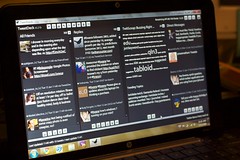 Image by bwana via Flickr
 Image via Wikipedia
![Reblog this post [with Zemanta]](http://img.zemanta.com/reblog_e.png?x-id=fa7a61d6-1ee0-46df-a9c7-bea31e5d4c4c)





![Reblog this post [with Zemanta]](http://img.zemanta.com/reblog_e.png?x-id=6b2b121e-cd4a-400c-a97e-decf91663921)

![Reblog this post [with Zemanta]](http://img.zemanta.com/reblog_e.png?x-id=fed015b6-6fb1-450c-bffc-dc1c97416917)



 Posts
Posts


