
In
Tony Hillerman's novels, he often refers to
shape shifters which were part of the Navajo belief system. Yesterday, as I tried to simply explain wikis to my Mom, I told her that it is a website which you
can't change. Then, at the touch of the edit button (as long as you have some type of access to that site), it changes into a document that you
can change. Once you have made your changes, the shape shifts again at the touch of the save button. It becomes a website again. This is brilliant and elegant. It means you don't have to know html code or even how to use a web page creation page. As well, there is a place on the internet for your web page and your website and you don't have to worry about uploading it yourself.
Eleven years ago, I created the first web page (with about 400 linked pages) for my school. I downloaded some kind of program from the internet and worked away. I had teachers work with students to produce work for the internet. I believe I also scanned student art for some classes. Then I had to link everything together and ensure that all the links worked. Lastly, I had to work with our head office IT people to get the whole thing uploaded to the internet. Where were wikis when I needed them? (Actually, that process was very satisfying creatively. I inserted all kinds of animations and moving gifs. I could create the pages exactly how I wanted them. There is probably a way to do that with wikis but most of the pages are produced using a given template so they tend to look quite similar to each other. The focus is more on the information provided rather than on an aesthetically pleasing end result.) After I produced that first web page, I taught the community school coordinator how to continue the process and she took it over. She soon far surpassed her teacher in creating amazing web pages.
Wikis become an online collaboration tool for creating, correcting, and publishing information to the internet. One person can begin the process (a first draft, so to speak) with others chiming in to deepen understanding, fix errors, and branch off in new directions. In this way, it is different from a blog post. An individual in a blog creates something that belongs to him or her. Then other people may bring in their thoughts and changes to the original concept. However, that first person's blog entry does not change. Sometimes the comment thread supersedes the blog post itself in importance as the community puts in their two cents worth. However, on a
wiki, that first post can be changed (shift shapes) over and over as new contributors add their understandings. Wikis can be online conversations as contributors decide what the
 Image via Wikipedia
wiki will say together.
There may be some issues with wikis. There is a way to provide various levels of privacy on wikis. However, many of them are open for anyone to edit. This can lead to vandalism and inaccuracy. I loved the story in
Will Richardson's book (2009) of the professor who tested out
Wikipedia by placing thirteen errors on several Wikipedia posts. Within a few hours, all of the errors had been corrected. Since the next editor of the page can see which changes have been made and revert to an earlier, correct version, I think this again is a strength of wikis.
Some wikis may not be up-to-date or current. There is a way to see how recently a wiki has been edited. As well, those who are setting up a new wiki may put all of the infrastructure in place first so that there are many links to pages with only a name at the top of a page. However, if a wiki creator jumps in (as I did with
my wiki on Caswell Homes) and starts creating pages willy-nilly, each page has information on it but the organization system might be a mess from the start.
Since wikis are co-constructions, ownership of product is a problem. I could see that at a university, where professors are expected to publish and present original work, it may be very difficult for them to move into a wiki world. If you give away all of your ideas for free, who will pay for your ideas. Who will read the books you write or pay to listen to you at conferences? Actually, giving away your ideas for free can widen the audience for your ideas. Will Richardson has published two editions of his book and people (like me) are buying it. If Will was coming here to Saskatoon and I had to pay to hear him speak, I would do it. But back to the collaborative work on wikis, the lack of ownership can lead to writing by committee. It may be disjointed and inelegant. It seems to me that the focus of wikis is generally upon disseminating information rather than upon beautifully crafted pieces of writing. (You can't be all things to all people.)
The tone in wikis should be neutral. Even if someone has a personal point of view, it should be expressed in a measured and calm way--not a nasty, vitriolic (biting, caustic, sharp, bitter) way. We can agree to disagree but don't be rude while you're disagreeing. On Saturday, as we were returning from the Rider game, we were listening to the post game show on the radio. Many callers to the show were upset about various aspects of the game. Usually the radio personnel would engage with them in discussing the events of the game. However, one caller was nasty and said we should get rid of the coach and the quarterback. The radio host said good-bye very quickly to that gentleman. So there is a way on wikis, as well, to explain your point of view but in a neutral manner. Teachers need to work with students to develop skills in digital citizenship--polite, democratic. Students need to develop good value judgments about the work they produce and the work they edit on wikis.
Another issue with using wikis in the classroom is lack of control for the teacher. (Prensky, n.d.)
"Never mind that new technologies give our kids access to whole new worlds--they may not be worlds the teachers can control." Even the difficulty of marking individual assignments removes some of the control teachers have over work and learning in the classroom. I think the benefits far outweigh the lack of control. One teacher said that in the future he may include a wiki aspect for each assignment within his class because the level of cooperation and collaboration and quality product which his students are inspired to create.
One last issue with the use of receptive wikis in the classroom (like Wikipedia) is the teacher's fear that they are inaccurate. (Wasn't it only recently that Google allowed wikipedia sites to come up when someone did a search for a topic? This means that Google feared that the popularity of Wikipedia sites would drive them to the top of the search list, driving other, more reliable sites further down. I guess that Google has realized that Wikipedia sites are accurate and acceptable when people are searching for sources of information.) In Richardson's book (2009), he debunks several myths about the inaccuracy of Wikipedia. Besides the aforementioned case of deliberate errors inserted by a professor (quickly edited by the online community), experts were asked to read Wikipedia entries within their fields of expertise. They found the entries to be very accurate.
So how could a teacher use wikis in the classroom? They could be used as receptive tools for the teacher to gather information or ideas for the practice of education.
Eduwiki was one site I discovered. This site was created on July 20, 2007. There are now 2103 pages in the main section. The home page alone has been edited 904 times with the most recent edit on that page made a few days earlier. From that page they host
free online workshops for learning to use wikis. There are certification levels within these workshops. There are other places in which teachers can sign up for free online classes to learn to use wikis. There is a five week course which begins today in blended learning in the classroom. Check out the schedule at this
link. They have a list of the participants--30 signed up, many from North America. There was one participant from Mongolia. At
Learning4Content, educators from around the world are invited to join them. They say
WE also extend an open invitation to all educators around the world to join us as well.
Open Education Resources (OER) is becoming much more pervasive in tertiary education. Developing content which can be shared within one institution, or across continents represents a powerful paradigm shift in the distribution methods of learning content and courseware from traditional publishing models to those which are open and collaborative in nature. Major initiatives from leading institutions to provide open courseware further support the growth of this segment of online learning.
There is a video (through Blip TV) called
Wikieducator: Learning 4 Content which is fascinating as people from Morocco, Australia, and Israel check in for the class. They are having two special guest speakers. One speaker talked about WikiEducator. The video is over 50 minutes long so I didn't watch the entire program. When students had a microphone they were able to speak. Most of the students just wrote their chat questions and comments on the side. The facilitator invited the students to introduce themselves. I heard someone from Germany speaking and introducing herself. We think we are scattered geographically in this class but this online class is even more scattered.
At Learning4Content, it suggests that you could ask your employer/institution to sponsor a L4C Workshop - by contributing access to a computer laboratory for the training. That would be great for a school system--they could contribute the computer laboratory and L4C would provide the professional development.
In my Grade 2 class, I thought of some ways I could use wikis. Last year we learned about bugs in our class. Each student selected a bug, found information about that bug, did jot notes, and finally created a document with a few sentences about the bug. Then they inserted some pictures from the internet. If I were to do this project again, I would have students insert their documents into a wiki. Then parents could see the results of our work. Students could even work on the project at home where their parents could help read the books or websites to help them find more information. Students could read each other's information.
Towards the end of the year, our class worked on a collaborative story. Three students drew pictures of the characters who became the main characters in the story. (The characte
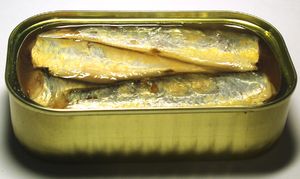 Image via Wikipedia
rs were Batty, the black bat; Wall-E, the rusty robot; and Slippy, the Emperor penguin) We worked on developing our story as we sat and talked about what problems these three friends could have as they interacted with each other. We decided that they were going on a field trip to the zoo. Each of them had a favourite snack (packed by their mothers) and were eager to share their snacks with each other. Batty's favourite-mosquitos; Wall-E's favourite-rusty nails; Slippy's favourite- sardines. Bingo--we have a problem (I had taught them that every story needs a problem). Solution (after much discussion in small and large groups) was that they all love chocolate-covered doughnuts and stop to buy some on the way to the field trip. Next we developed the characters. And on and on it went. At the end of the school year, I sent all the information home with the students and asked them to keep working on the story (or more chapters of it) in the summer. Oh, if only I had known about wikis. We could have put everything as we went along on a class wiki. The cross-checking we did from group to group (Hey, Wall-E group
 Image via Wikipedia
. Does Wall-E have any pets? Would Batty eat Wall-E's pet insect?) could have been done more easily as we collaborated on the computer. Next time, eh?
I did find an example of a collaborative on-line story created by a grade 3 and 4 class. (
Story) The story is about a tennis ball called Terry. The class is from Australia. If teachers need more ideas about using wikis and other technology in the classroom, the
K-5 Computer Lab Wiki looks like an excellent resource. It is well-organized with a table of activities. There is a template provided so that teachers can add additional computer activities with links to them. There is a Wiki about books for children (
http://booksforchildren.pbworks.com/Books-for-Children).
For students in university or university professors, there is a wiki with
activities for University classrooms produced by an engineering professor. There is a
wiki about using digital research tools. There are many ideas about turning voice into text (transcribing) which will come in handy for me next year as I interview people for my thesis. I need an easy way to turn voice into text.
Last night as I talked with my extended family about some of the learning I have done in this course, I wanted to send them to my blog to learn about some new tools. My sister-in-law owns and operates two care homes for senior citizens. Some of the residents have families living far away. The families are always wanting pictures from the latest birthday party or event at the care home. My sister-in-law tries to send pictures attached to emails. I told her about Flickr and how easy it would be to put pictures up on Flickr for those families to view. I told her about using tags on the pictures so she could create a picture set for each resident. Then I worked with Mom on adding information to my Caswell Homes wiki. I have also been thinking about talking with the librarian in charge of the Saskatchewan Teachers Federation resource center. Possibly my blog could be a catalyst to encourage other teacher-librarians in developing their Web 2.0 skill set.
All of a sudden the audience for my blog changed. I'm not preaching to the choir anymore. I may be presenting information and the process of sharpening tools to those people who aren't going through this process with me (like all my lovely and handsome[1] classmates are). I want to go back and fix some of my blog posts. I want to ensure that I explained enough of the process so that others can follow my steps and missteps. If I say, I uploaded this or that, I have glossed over the process and just presented the final product (Ta Da). How will that help anyone else? So from now on, I will try to write my blog posts for a new audience.
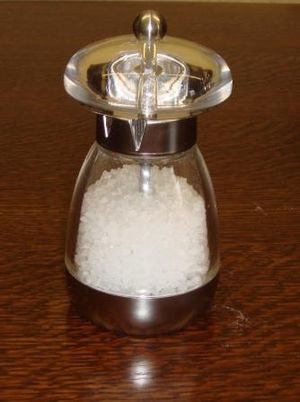 Image via Wikipedia
As I return to the title of this blog--Shape Shifters Par Excellence--I think it is we teachers who really need to shift shape. We need to invite our students to bring a tasty dish for the Potluck Dinner on the Web. If the dish needs more salt, someone will add it. We need to move away from the banking model of schools (Paulo Freire) in which the teacher knows it all and attempts to pour it into the student. We need to value the cultural capital and stores of knowledge which each student brings from their world into ours. Then together we can build a storehouse of knowledge in which everyone contributes and everyone belongs.
Reference:
Prensky, M. (To be published). Search vs. research or the fear of the Wikipedia overcome by new understanding for a digital era. Retrieved at
http://meta.wikimedia.org/wiki/Search_vs_Research_-_Marc_PrenskyRichardson, W. (2009). Blogs, wikis, podcast, and other powerful web tools for classrooms. Thousand Oaks, California: Corwin Press.
 bout a streetcar, I could see the potential in embedding a streetcar picture in this wiki. Then visitors could add their recollections to the photograph using Voice Thread. I need to explore a little more how to use the telephone to record voice. Some people with a contribution to make may not have a microphone hooked up to their computer. I guess they could always type a comment as well. I could see that this VoiceThread would have many benefits in a classroom setting. It could give students a way to engage with each others work while also allowing parents the opportunity to see artwork and photography created at school. Even students in the younger grades could draw pictures of themselves and their families. Then they could record their thoughts or even type a few sentences to talk about their life.
 n their museum. They could invite their volunteers to record their recollections of using those items. Since the museum is set in 1913 (around the time the streetcars first started running in Saskatoon), many of those my Mom's age would have used the museum artifacts when they were younger. Quite a few years back, when my grade 5 class worked with a group of seniors, we took a field trip together to the Western Development Museum. Each senior took his or her student(s) on a personal guided tour of the museum. It was an amazing day. I am concerned that we are losing those important stories of the past. VoiceThread will give people a way to tell those stories. However, as I mentioned in an earlier post, those born digital may need to assist the digital novices in order for those stories to be told.



 Posts


