 Image via Wikipedia
Last night I watched the second program of this year's, So You Think You Can Dance, Canada? Some amazing young dancers took the stage to
dance their way to the next stage of the competition. The cream was definitely rising to the top.
During the day yesterday, I encountered some other marvelous Canadians who are reaching far beyond our country to make a difference in the world. I had the privilege of being a digital, online participant (a virtual attendee) in the Open Education Conference in Vancouver, B.C. (#opened09) Dave Cormier was a master communicator who engaged his audience (both online and in the room). His talk had substance, depth, and breadth. People were tweeting about it and watching the Live Stream feed of the session. (Dave is from
Prince Edward Island in Canada.) In that session, Dave spoke with Alec Couros who was in the audience. Alec is from
Regina, Saskatchewan. He created the diagram of the Networked Teacher as part of his doctoral dissertation which was about the
Creative Commons. In CogDogBlog's (Alan Levine) session in the afternoon, once again Alec Couros was mentioned and even highlighted in one of the stories of openness that Alan shared. Alec Couros is another
Canadian to be proud of. When I think about digital impact and dancer impact emanating from Canada yesterday, it's time to watch the
YouTube video of Oh Canada again. (See
Dave Cormier Wow blog post.) That's twice yesterday I was bursting my buttons with delight and joy in fellow Canadians' achievements.
I can see that some Canadian dancers and digital pioneers are poised to impress their world. The question is: How can I make a difference in my immediate world with the new web tools that I have learned about in this class? Where will I begin? Who will I begin with first? What will I do?
Early on in learning about all of these
Web 2.0 tools, I felt that I was taking part in a dance. Each new tool was a partner in my dance. Some of those partners stepped all over my toes. Some partners were too tall or too short. Some partnerships felt awkward at first. I didn't know where to put my hands or what to say in the conversation. Some partners held me so close that I felt as though I would smother. However, the more often I danced with some of those partners, the more comfortable I became. I anticipated their moves and followed along. I even contributed some swirls and twirls of my own.
(Can you guess which partner matches up with which dance style? For my classmates in this class, you have probably experienced some of the same feelings.)
Just to continue this analogy or metaphor or simile (please help me, you English teachers) a little bit longer: My blog as a dance partner gazes deeply into my eyes and encourages me to be myself. Sometimes I giggle uncontrollably and other times I begin to speak faster and faster as my words torrent out. Sometimes it is a silent dance as I wonder what to say next. I'm waiting for the next words to tumble forth. Then I overhear a conversation from some of the other dancers in the room which sparks a new topic for engaging with my blog partner.
 Image via Wikipedia
My
Facebook partner (as you may have guessed) is the one that holds me a little too close, too tightly. I feel claustrophobic and just want to get away. However, lots of my family and friends really like Facebook and encourage me to dance with this partner more often. Dancing with Facebook is like a
square dance. There are lots of "bow to your partner" and "do-see-do" and "swing your partner". Sometimes I turn in the wrong direction or trip over my feet. I haven't figured out all of the patterns of this dance. Some of the other square dancers are so skilled. Lots of them are wearing fancy square dancing outfits. I just wear my blue jeans or sometimes even my pyjamas. I just can't be bothered to dress up too much for a dance that befuddles me. I creep in to lurk on the sidelines sometimes, just to make sure my family members and friends are still dancing up a storm. Then I rush out the door again.
My Twitter partner was difficult to dance with at first. He was always rushing off to take a quick turn around the floor with someone else. Then he would rush back and try to pick up our dropped conversation. I often forgot what I had been saying. He wasn't very patient. If I talked too long, he would fall asleep (pretty hard to do when you are dancing) or just simply cut me off. I thought this was really rude at first. I wasn't accustomed to having to distill my thoughts (which always ramble on) into short bursts of quality conversations. I far preferred Twitter's brother Blog as a partner. Blog would listen forever as I carried on about my latest bandwagon topic. However, I gradually began to see that Twitter and Blog were alike (at first I couldn't believe that they were brothers). Both of them loved conversations and loved to listen. It's just that Blog listened only to me while Twitter was listening to my conversation and lots of others. Twitter would often repeat (retweet) things that other dance partners had told him. Don't worry, he wasn't revealing any of their confidences. They all knew that Twitter is a blabbermouth. But he's so charming that people can't resist confiding in him. They know he'll tell the next person everything that you have said. Twitter also introduced me to some of his other partners. We sometimes have direct conversations because he helped us to connect with each other. Because Twitter and Blog are brothers, I sometimes share what Twitter has said to me with Blog. Other times I talk about Blog with Twitter. All in all, I really feel comfortable with this brother duo.
Another dance partner that I enjoyed spending time with was Wiki. Wiki actually invited me out to a special dance party. It's called a barn dance. Did you ever read any
Louis L'Amou Image by cindy47452 via Flickr
r westerns or other stories of the pioneer days in North America? In those stories there were often community dances. Sometimes they took place in barns. Other times the venue was a country school house or a community hall. Everyone in the community harnessed up the horses and jumped into the wagon and trundled off to the dance. Usually the dances took place in the winter time because in a farming community, that is the least busy time of year (no crops being planted or baby animals to care for). No one stayed at home. Everyone, from grandma to the little six-year-old, came to the dance. So Wiki invited me to a barn dance. I wasn't sure what to expect. However, the barn dance was really well organized. They had lots of chairs sitting around the edges. People could sit in those chairs to talk and discuss things. People could request various songs. The band was excellent and could play all styles of music. Sometimes people argued a little over which song to request next. Usually they just decided to play both songs (not at the same time, of course). And the food!! Have you ever been to a fowl supper in a small prairie town? Let me tell you, those people know how to cook. The food was delicious with such a variety. It seemed as though all of the cooks created their best dishes and laid them out on the table for all to enjoy. Some of the cooks were sharing recipes and asking for helpful hints of how to make the best rhubarb pie and how to use up all the zucchini in the garden next year. I think the perogies were my favourite. Wiki told me that they were a community joint endeavor. That day ten people met in one person's kitchen and had a perogie making assembly line. They discussed the recipe ahead of time. Different participants brought different ingredients. Then they cooked up a storm while talking and visiting all the while. I think it was all the energy and love put into those perogies that made them taste so good. All in all, the dancing with Wiki was fun but my favourite part was being welcomed into that close-knit community.
All this dancing has made me tired. Let me sit down to catch my breath. I need to think about all of those partners. And, by the way, did I tell you that because of all I've learned about dancing, I've been asked to teach a dance class? I hardly know what to think. I don't really know a lot about dancing but people are saying, "You know more than we do. Teach us what you've learned. Then we can figure out more steps together." I'm scared. I don't want to hear any cat calls or jeers. What if I trip or fall flat on my face? Oh well, it's no big deal. I just get up, laugh along with my dance class, make a joke about my klutzy ways, and carry on. I never told them I was an expert. (As kolorkid said yesterday in a tweet, "community is a place where you feel safe [to make mistakes] so you can learn".) I'm a few steps ahead of them, that's all. So which dance should I teach them?
Well, all this dancing is making me dizzy and discombobulated. Time to step outside for a breath of fresh air and some icy cold lemonade.
Here's where I shift gears and stop with the dancing analogy. It was fun for me though and helped me t
 Image by adwriter via Flickr
o think about some of my reactions and learning curve with many of these Web 2.0 tools. But where do I go from here? I need to pick a tool and select some people to learn about this tool. The tool I have chosen is the Wiki. I have a slight problem with the people I will work with using this tool. During the next school year, I will be a full-time university student. Therefore I do not have a local school or classroom community to work with. I thought about which groups in the community I could connect with using wikis. The wiki I will use is the wiki I created about the Caswell Homes Project. Check out this wiki at
http://caswellhomes.wetpaint.com/Here's a short introduction to the wiki:
Welcome to the Caswell Homes Project. The
Caswell neighbourhood is one of the historic areas in the Prairie city of
Saskatoon. Caswell Hill began as the farm of
Robert Caswell. After Caswell sold land to developers, many homes were built in the area. Mrs. Ruth Elliott's Grade 5 students at
Caswell Community School researched the history of 25 of these homes. The homes were built between 1908 and 1929. Homes were either beautiful or very old or had a story to tell.
The research carried out by the students into homeowners, their occupations, and some of the stories of the homes, is just the beginning. Your assistance is needed to add information and create links so that more stories can be told.
Although this project began with 25 homes, other Caswell residents are welcome to add information about their homes as well.
Contact R Elliott for more information about how to assist with this project.
I created this wiki several weeks ago when I was learning about the use of wikis in education. Since that time, I have not had the opportunity to go back and work on this wiki. However, this wiki brings together several of the ideas that I am passionate about. I'm passionate about community, technology, teaching, and history.
1. I love history and especially local history. There are so many untold stories. Often Canadians think that our stories are boring. They aren't. They are delightful and interesting.
For example, Robert Caswell, the farmer who first lived on the land that later became the Caswell Hill neighbourhood, raised cattle on this land. When the Caswell School was first erected in 1910, it w
 Image by tricky ™ via Flickr
as the era of school gardens. Children were taught to plant and nurture gardens at school. Schools even competed for prizes for their school gardens. Well, imagine the furor when Mr. Caswell's cows got into the school garden at the brand-new Caswell School. I'm sure they made short work of the tender lettuce and bean shoots that delighted the students. Shortly thereafter, a fence was built to keep Mr. Caswell's cows out of the school gardens. I love this local history story.
How will we tell these Canadian history stories? Who will tell them? Many of the senior citizens who know the stories best will soon be passing on to their reward. We need to capture those stories for posterity. Then we should put those stories on the internet for the whole world to discover and enjoy. When I first created this Caswell Homes wiki, I invited my mother-in-law (Mom) to type her story about the streetcars of Saskatoon. She did this and later added to her story. I asked my brother-in-law if he remembered the Saskatoon Arena. I added his remembrance to the wiki. (Both streetcars and the Saskatoon Arena are stories arising from one of the Caswell homes.) However, when I asked Mom if other senior citizens in her apartment building would be able to add their stories to the wiki, she said that most of them do not have or use computers. I know that they have stories but would need assistance to give those stories a digital voice.
How could I include these mini-his and her-stories in the Caswell Homes wiki?
2. I love community. I am delighted with my local place in the world. I live in Saskato

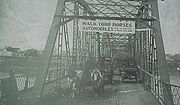
on, Saskatchewan, Canada. It is a beautiful city with a river running through it and so many bridges spanning the river that Saskatoon has the nickname of "Bridge City". The first foot and vehicle bridge was built in 1907 to join the communities of Nutana, Riversdale, and Saskatoon. These three villages amalgamated in 1906 to create the city of Saskatoon. This bridge is still in use today (102 years later) to join the communities on either side of the river in Saskatoon. I see my wiki as a way to join and celebrate community as well. Could those who are digital natives in our public and high schools help give a digital voice to the stories of those who live on the other side of the digital divide? The senior citizens without computers can use those students who have grown up in a world of mouse clicks and texting as a bridge to move their stories out into the virtual world. Along the way, social media can foster personal and inter-generational connections in the real world.
3. I love technology. I love computers. I especially love creating with computers. (Although I must admit that I play Settlers of Catan at
http://games.asobrain.com/ for relaxation.) I have come to realize that I will never know all there is to know about computers and technology. However, what I do know, I will seek to use and pass on to others. During this online class from the University of Alberta, I have learned about many Web 2.0 tools. These now become part of my technology tool kit. I can see that even though I will select the wiki tool from this kit, I can also use photo sharing, video sharing, podcasts, multi media (Voice Thread), Twitter, and even Facebook as part of the wiki.
Recently I visited one of the homeowners of one of the Caswell homes that my students researched. Since my last contact with her, she has unearthed some photographs of Dave King who built her house in 1912 or so. She also has some information about him. Those photographs could be scanned and uploaded to the internet using photo sharing. She could make a podcast to talk about what she knows about him. His photo could even be uploaded
 Image via Wikipedia
with Voice Thread so that others in the community could talk about him. I have already had contact with another lady who says that her parents' home, just down the street, was also built by Dave King. That homeowner has a very beautiful house but it needs a paint job. When I first met her, she and her husband told me that they would like to paint the house with Painted Lady colours. I had never heard of Painted Lady houses before. They explained to me that in the early years along the eastern sea coast of the United States, houses were painted with several different colours. They showed me a book of Painted Ladies. Their house would look great painted in these colours. At that time, they asked me if my students could colour some pictures of their house using different combinations of colours to help them decide which colours to use. (At first, I was hoping to have my students sketch each house but we did not do this.) Maybe on the wiki, we could have an artist create a drawing of the house. Then we could have a contest in which children could colour the house. (O.K. I know I'm getting carried away again. There are so many possibilities for creating community using technology.)
4. I love teaching. A few years ago, I was visiting my cousin Wally Stinson. He had a laptop that he was learning to use. Wally was a wonderful man (he has since passed away). He was a teacher who was really involved in the sports community. A few times when I went to visit Wally and his wife Elinor, I gave him some tips about using his computer. His children and grandchildren had also given him some pointers. However, he told me repeatedly that I was the best computer teacher he had ever had. Coming from a master teacher like Wally, that was a high compliment.
So where will I find these lovely people that I am going to teach to use a wiki? I don't have a school this year. I guess I'll have to go out into the highways and the byways and compel them to come in. History + Community + Technology + Teaching. Let me think.
I guess I can't force/compel anyone to join me. However I can invite and entice them. I know that senior citizens have many untold stories that will go to their graves with them if they aren't preserved for posterity. I will invite them to tell their stories. I need to make the technology part of it really simple for them. I know
 Image by Jordon via Flickr
there are many senior citizens who are volunteers at the Western Development Museum in Saskatoon. (My mother-in-law is one of them.) Maybe I will contact the Education Coordinator there to see what we can dream up. (Picture shows interior of a streetcar at the Western Development Museum) Perhaps they would be willing to get the word out to the volunteers. Then I could meet them at the Western Development Museum and make podcasts of some of their stories. However, I want to teach them to use the technology as well. The Saskatoon Public Library has computers for the public to use. They also offer classes for seniors and other adult computer users. I will contact them to partner with them. Maybe I can teach a class for them and invite senior citizens to share their stories. Then I can teach them how to go on the internet to look for their stories. The Saskatoon Public Library also has a Local History Room. I'm going to see whether they would like to be involved. After all, they are in the business of preserving hyperlocal history stories. I have contacts there because my students used their resources to unearth the history of each of the Caswell Homes.
Who else could be part of this wiki community? I know the Saskatoon City Archives manager. I will talk to him. As well, there is the Saskatoon Heritage Committee. They publish a magazine four times a year. Maybe they would like a digital way to tell their stories. I know several people on that committee. I will call them.
This year I will be a student at the University of Saskatchewan. There are several avenues I could run down seeking assistance. Yesterday Alec Couros put me in touch with another Twitter user in Saskatoon, Richard Schwier of the University of Saskatchewan. He works in the educational technology area in the College of Education. I will talk with him about this project. He may have some ways of recruiting student help. I could also offer free classes to education students--perhaps about podcasts or contributing to a wiki. They could help the senior citizens record their stories. (Just a little aside, after the Caswell Homes Project, many of my students and their families grew very interested in Saskatoon history. A side benefit of helping to tell other people's stories is that you begin to value those stories as your own.)
What about the Saskatoon Public School Division, my employer? We have an online learning center. I will get in touch with the leader there. She will have some ideas for me about how to involve our public school students in this project. I think we will receive some media
 Image by aranarth via Flickr
attention if all goes as planned. School divisions like that. I'm sure there are elementary and high school teachers who are looking for a project to latch on to. I could volunteer to do some team teaching with the classroom teachers. We have a computer lab downtown in the school board office that could be used if need be. Our high schools have been going through a restructuring and re-envisioning process. I know the man in charge. I will contact him to see where this project may fit in. Actually, while I think about it, why not include the Saskatoon Separate School Divison as well? (The Catholic School system) A few years ago, the city's Heritage Advisory Committee chairman wrote me a letter. He told me that they had reviewed the 400 pages of information from the Caswell Homes project. He commended m
 Image via Wikipedia
e for this project and asked if I was willing to work with the public and catholic school systems to teach others how to do a similar project. I was too busy at the time to respond to this request. Maybe this is the year to respond.
Earlier this week, in a discussion post (not in my blog), I talked about "Riffing on a Chord". This is what I like to do in my blog posts. Grab a chord and improvise. Make up a melody and some harmonies to go along with that chord. As I have been writing this post about what comes next in my use and teaching of technology I have been riffing on the chord about the dance. I don't believe that I am an expert dancer with technology or web tools--not like Will Richardson, Alec Couros, or Dave Cormier. Yet I am willing to gather people around me who would like to learn and teach them what I know. So let's keep dancing. Shall we dance?

![Reblog this post [with Zemanta]](https://lh3.googleusercontent.com/blogger_img_proxy/AEn0k_sWkehmJ6cGLoUs48p0huVo3WmE3fDaiq4ZmQZkhn5J38Kwbn-UEhm23h4PHHCEtPH4Vdxek57gSilneMBc1Gvr8wQQ95RbCeYtcG03tBxFTBOGtn5c6hG0TFmq69T989DFeZjKiUd2gp57QMQYKdn0=s0-d)




![Reblog this post [with Zemanta]](https://lh3.googleusercontent.com/blogger_img_proxy/AEn0k_uDk_Xm9lHgsUO_yqxQkAuGwNmChorLxgKcpcPOqB5PLAnSXdTXUKOcoKmHC63wQ8Ou5die8TNs91a7lAduYSje0OQ59sJnSMWixA8OhwrfHtNHBY85ufxDO2P4pr4y8NkdzYDwH0ISBb16prRyJZVd=s0-d)


 Posts
Posts


